Threads
UX/UI Designer
(with collaborative support)
4 Weeks
(2 weeks UX, 2 weeks UI)
Google Forms –Notion –Figma

Overview
Threads is Meta’s micro-blogging platform connected to Instagram.
This redesign focuses on giving Threads a stronger identity, improving user clarity, and integrating AI-powered creative tools to make posting more expressive, fun, and effortless.
🔑 Key impacts

🎯 The Challenge
👉
🔍 Audit Summary
Evaluating Threads’ strengths, gaps, and opportunities for redesign.
- Smooth onboarding through Instagram
- Fast mobile performance
- Simple interactions (post, like, reply)
- UI lacks personality (black & white)
- No formatting or creative features
- Weak continuity with Instagram


🕵️ Research
To validate this need, a user survey was conducted among 100 participants. The data strongly echoed the initial observation:
- a warmer, more expressive visual identity
- more creative ways to post
- faster access to posting tools
- a clearer link to Instagram
- a more organised feed and community space
🌈 Design Opportunities
We identified four main improvement areas for the redesign.
- a warmer, more expressive visual identity
- more creative ways to post
- faster access to posting tools
- a clearer link to Instagram
- a more organised feed and community space
- Generate images from text
- Edit and refine visuals
- Analyse uploaded documents
- Voice mode for structured content
- Floating “+” button to post
- Clear tabs: Following / For You / Groups
- Direct Instagram link
- Private circles for intimate sharing
- Interest-based community groups
- Spotify integration
- Cleaner thread views & profiles
- a more organised feed and community space
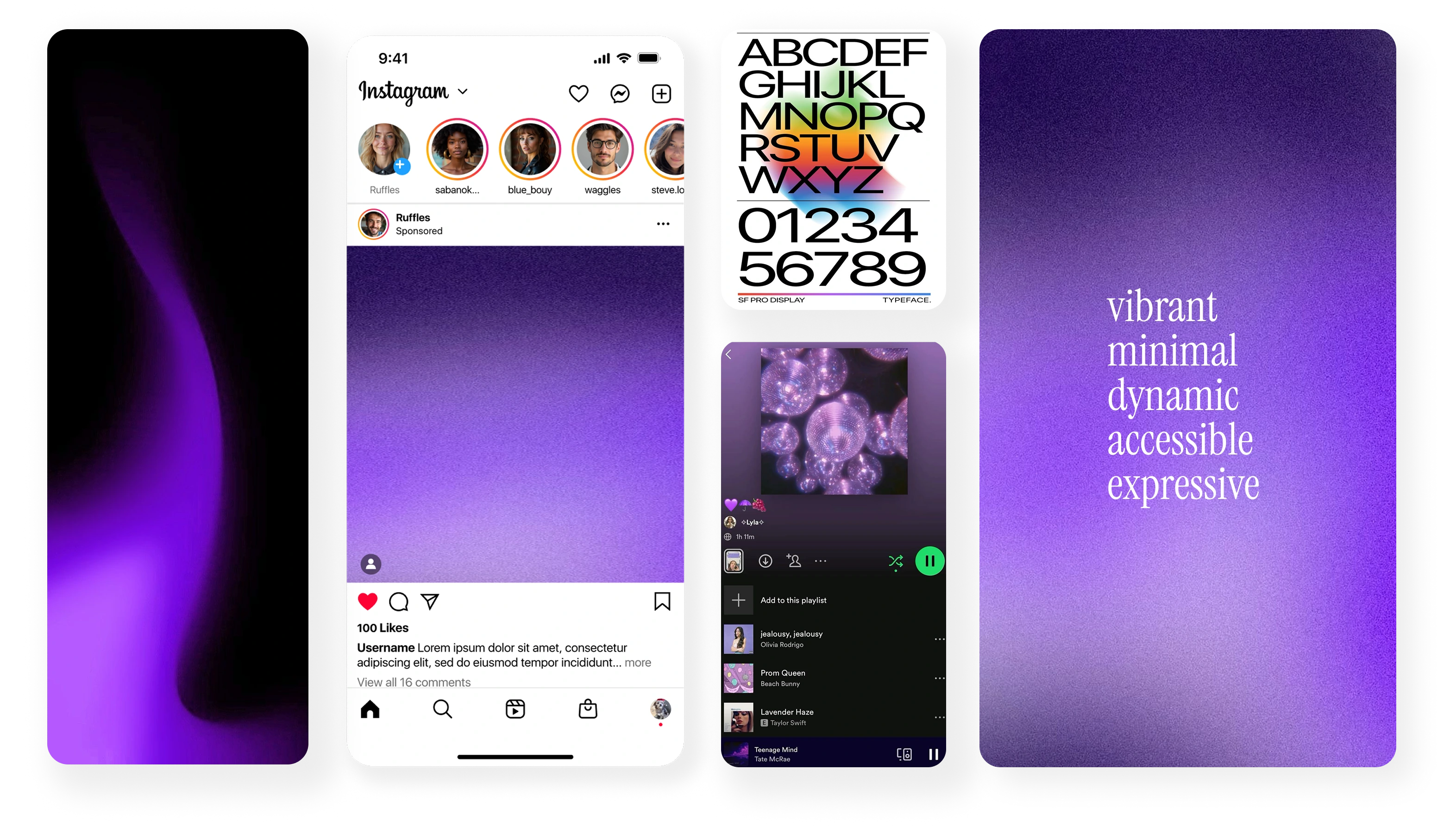
🎨 Moodboard & Visual Language
The chosen visual direction:
🤖 So...why Integrate AI Into Threads?
Social platforms are shifting from pure consumption → to collaborative creation. AI is no longer just a tool — it’s a creative partner.
⏩ Before → After : Improving the Threads Experience
To clearly show the impact of this redesign, here are key screens comparing the original Threads interface with the new, AI-enhanced and more expressive version.
Before→ neutral colors, low contrast, and limited visual personality.
After→ a vibrant purple gradient, improved hierarchy, clearer tabs, and a more engaging layout.

Before→ plain text only, no formatting, no creative tools.
After→ Enhanced editor with audience controls, an AI entry point, and editing tools moved to the bottom for easier, one-handed access.


Before→ minimal structure, low connection with Instagram.
After→ more visual personality, improved sections, and direct Instagram link.

A clearer, more expressive Threads, with AI as a creative partner.

🪡 Threads New Vision
Redefining expression and social creation through AI-powered design
The final UI introduces:
- AI-Enhanced Post Creation
- Social Spaces
- Closer Instagram Connection
- Simplified Navigation
Turning Threads into a space that inspires expression, not just posting.
💁♀️ What I Learned
This project taught me how to:
- Integrating AI as a creative assistant, not a feature
- Designing within an existing brand ecosystem
- Using visual design and micro-interactions to convey personality
- Finding the right balance between creativity and usability
- Collaborating efficiently in a shared design workflow
🚀 What’s Next
what I plan with Threads :
- Multiple AI image styles
- Collaborative prompts in groups
- Dark mode improvements
- Listing a material in under 2 minutes